

Find out how to register on the website of the electronics and household appliances M. Video and it is profitable to make your first order.
The content of the article
- Registration on the website of M. Video in Personal Account: Instruction
- How to choose your region on the website of M. Video?
- Where to watch online catalogs on the website of M. Video?
- How to see promotions on the website of M. Video?
- Ordering an order in the online store M. Video: Instruction
- Conditions for delivery of goods in M. Video
- How to pay for an order in M. Video?
- How to buy in the online store M. Video by installments, loan?
- Video: How to buy on credit equipment on the site "M. Video"?
- Discount for the first order in the online store M. Video
- How to call the M. Video online store?
- Video: How to buy in the online store "M. Video"?
Shopping over the Internet is easy and convenient. And this concerns not only clothes, toys and goods needed in the household. Electronics and household appliances that have sites on the global network flourish. M. Video can boast of its history. Find out how to register on the store’s website and place your first order.
Registration on the website of M. Video in Personal Account: Instruction
The chains of M. Video stores, which are 386 in Russia, are already almost a quarter of a century. If you need large household appliances for the office, office equipment to the office, a new mobile phone, you can always come to one of them. The store employees will listen to you, advise on all issues that have arisen, help you choose exactly what you are looking for.
But what if you are a modern and extremely busy person, and devote all your time to study, work, raising children, so on, do you have time to visit stores? Register on the website of the online store M. Video, then you can buy the household appliances you need in one click.
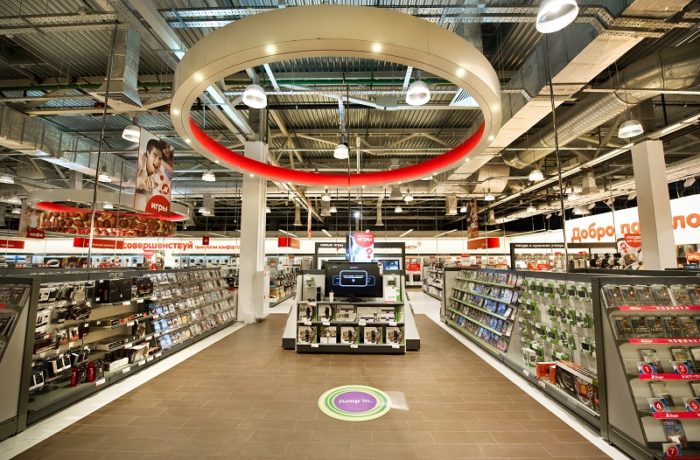
In Russia, about 400 stores of the M. Video chain.
“Gogglthia”, the search engine will give you the store’s website the very first. Pass the link and sit down. Study the site interface and the catalog of products sold on it.
Important: be sure to read the instruction article on the website of M. Video " How to buy on an online store". It gives a step -by -step instructions for placing an order, payment of goods, its delivery and receipt. After the article, there is a video for you.
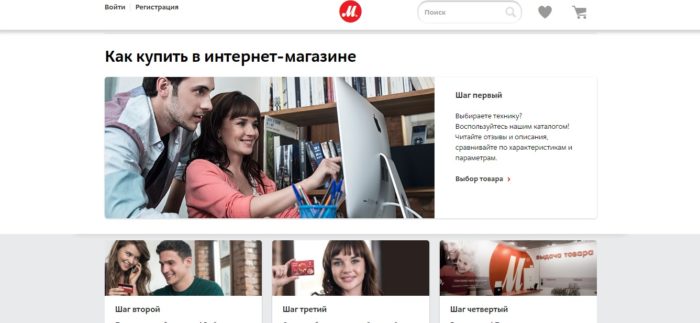
Instructions for registration and purchases on M. Video.
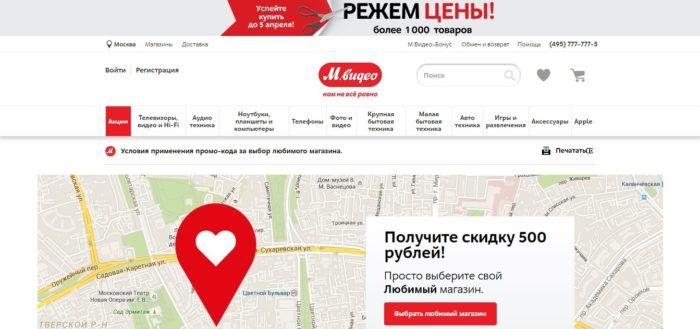
The main page of the online store M. Video.
On the main page of the site, in the upper right corner, you will see two buttons: “enter” and “registration”. For M. Video for the first time? Then you should register. Click on the button with the corresponding name.

Button "Registration".
You will need to fill this form.
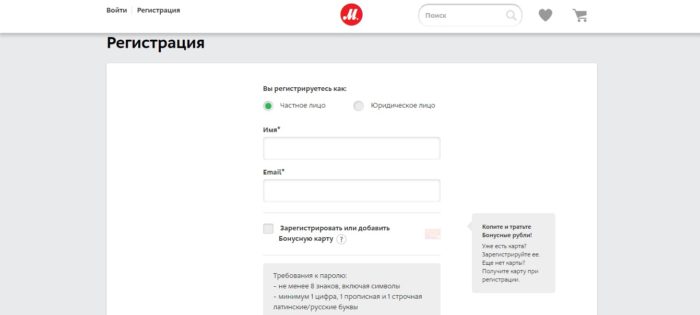
Registration form: Part 1.
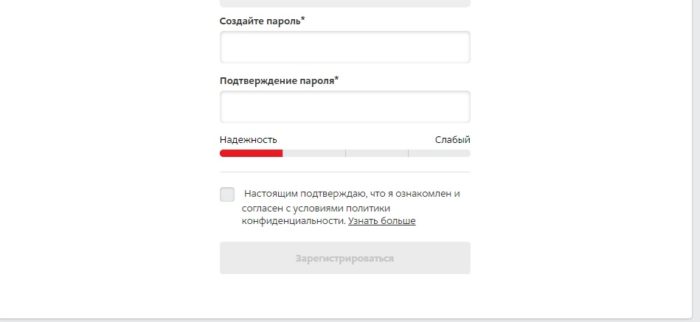
Registration form: part.
Data that you will need to specify, filling out the form, standard:
- you are registered as a private person or legal
- your name or nickname
- your email address
- would you like to activate a bonus card
You will need to come up with a password of 8 characters or more, which will include at least 1 digit, 1 urgent and 1 capital letter. The password can consist of Russian and Latin letters.
After you fill out the form, you will need to confirm registration. The site will send a letter with the link that activates your account to the e-mail indicated by you in the registration form.
You will receive a letter of this content. Click the “Confirm” button, you will automatically move to the store’s website to make your first purchase.
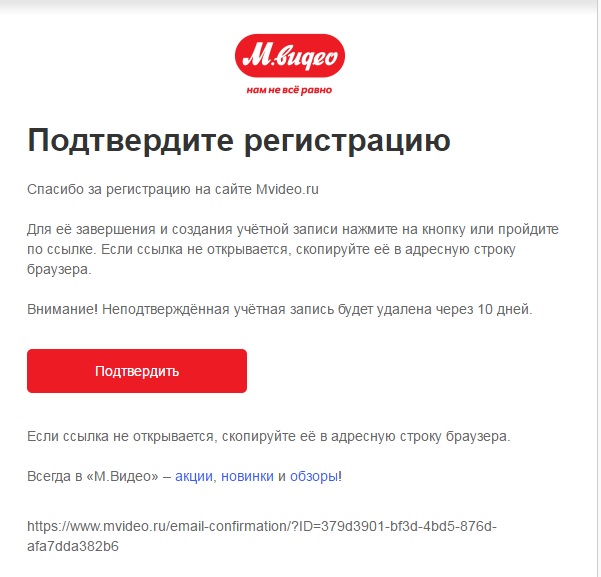
Such a letter will come to your email.
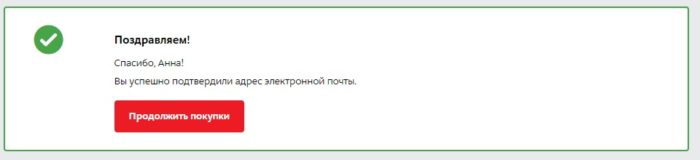
Your registration on M. Video is completed!
Important: also, you have the opportunity to go to the M. Video website using the social networks account.

Entrance through an account on a social network.
How to choose your region on the website of M. Video?
For the convenience of servicing, the store needs to know your location - your region. On the top right on the site you will see the “location” icon, when registering, the city of Moscow is automatically determined.

Button for choosing a region.
If you live in another region, click the icon, a menu with the choice of the city will float in front of you. If your settlement is not indicated in the list, enter its name manually.
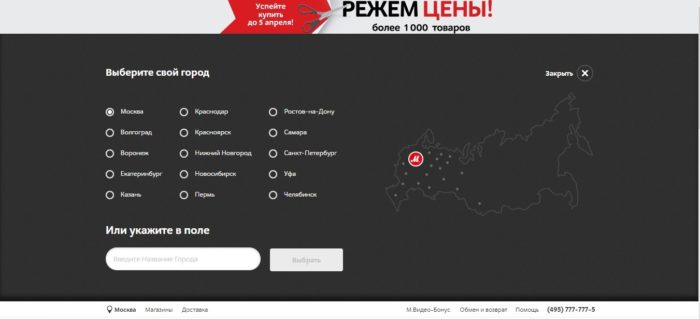
Using this menu, select your region.
Where to watch online catalogs on the website of M. Video?
The catalog on the website of M. Video, located right under the sign, is very convenient, because all the goods are classified into categories:
- tVs, videos and hi-fi
- audio equipment
- phones
- photo and video
- computers, laptops, tablets
- large home appliances
- small household appliances
- autotics, so on

Catalog of goods on M. Video.
As if you are walking around the exhibition hall of a huge hypermarket!
How to see promotions on the website of M. Video?
The M. Video store regularly holds promotions for its customers. “Not a day without a promotion” is a very tempting motto. What kind of promotion can you offer you? These are discounts of 10% or more for the entire assortment or individual names of goods, gifts when buying for a certain amount or individual items of goods, so on.
To find out what shares on the M. Video website are acting today, follow the news. You can also click the "Promotions" button on the top panel of the site.

You can see the shares on M. Video here.
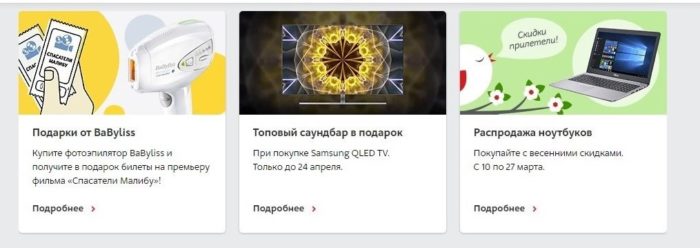
Examples of shares of M. Video.
Read more about the shares held by the M. Video online store, read in the article "".
Ordering an order in the online store M. Video: Instruction
You are ready to make your first purchase on M. Video, for example, it will be a hairdryer.
- Go to the section of the “small household appliances” catalog, subsection “Products for styling and haircuts”. Choose the category of "hairdries and hairdryers."
- Choose the model suitable for you using the filters “Category”, “Brand” and “Price”.
- Go to the product card. Learn its characteristics, read the reviews.
Did you do everything? Click the "Add to the basket" button and go to the order.
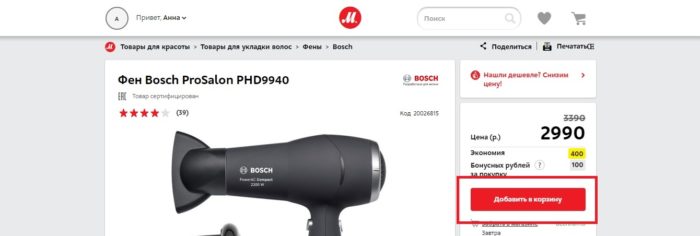
Add the product you like to the basket.
Important: in addition to the product you have chosen when placing an order, you can purchase services for its service.
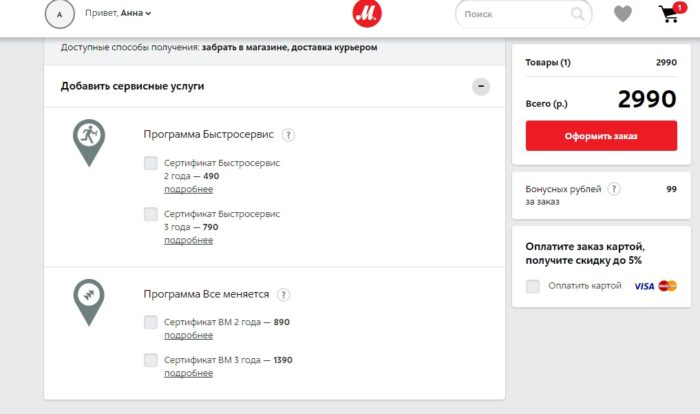
Choose additional service services.
Click the form "place an order." To complete the purchase, you have to choose the methods of payment and delivery convenient for you, as well as clarify personal data, including specify your mobile phone number.
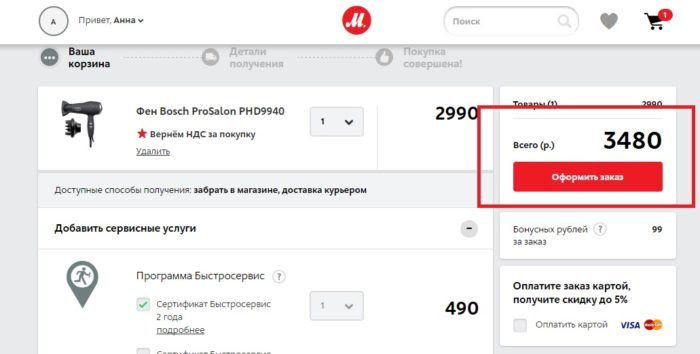
Ordering of the order.
Conditions for delivery of goods in M. Video
You can get the goods you purchased in the online store M. Video through:
- shipment at night from the closest store or warehouse to you
- courier delivery if such a service is provided in your region
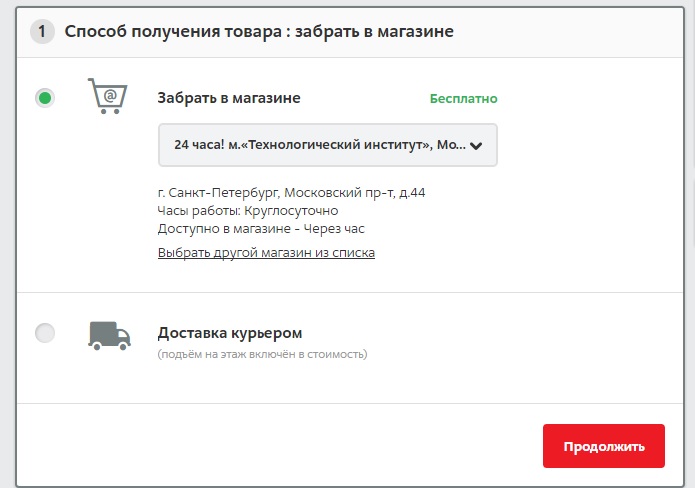
Delivery methods.
Read more about the methods of delivery, its cost, terms and other conditions in the article "".
How to pay for an order in M. Video?
You can pay for the purchase with M. Video convenient way for you:
- Upon receipt of cash, VISA, MasterCard, bonus rubles.
- Online, Visa, Mastercard cards
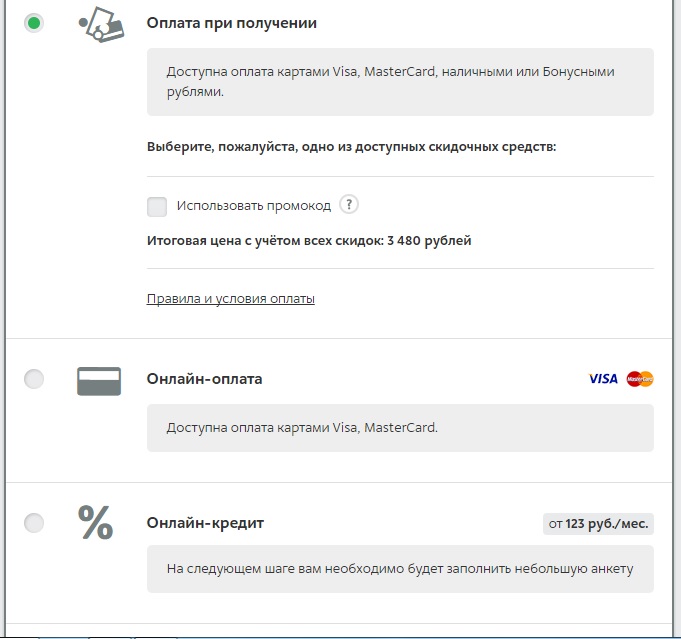
Payment Methods.
The article “” is devoted to a more detailed description of the choice of payment methods in M. Video.
How to buy in the online store M. Video by installments, loan?
Through the online store you have the opportunity to buy equipment and electronics on M. Video on credit.
Fill in an online application, which will be considered by representatives of the bank within a few minutes. Having received approval, go to the nearest store, sign the necessary documents there, make the first payment for the purchase and pick up the goods you ordered.
Important: you will need to have a passport or identity card with you (original and copy).
If you want to choose this particular payment method, read the article "".
Video: How to buy on credit equipment on the site "M. Video"?
Discount for the first order in the online store M. Video
By making the first order on M. Video, you can get a 10% discount using a special promo code.
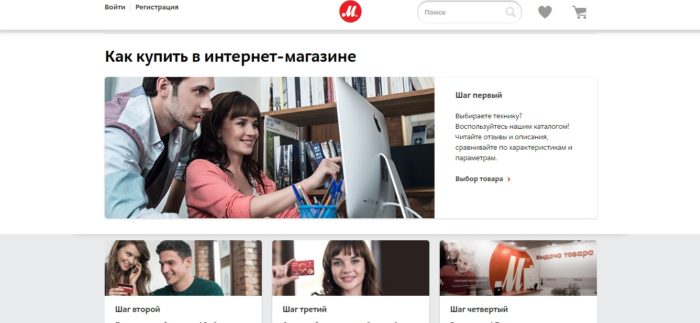
Discount for the first order.
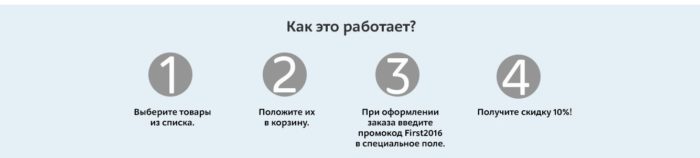
Instructions for receiving a discount on the first order.
How to call the M. Video online store?
To contact the Internet store M. Video, you can:
Dial numbers 8 (495) 777-777-5 if you live in Moscow, or number
8 800 200-777-5, if you live in other regions.
Leave your phone number on the site and wait for you to call you back.